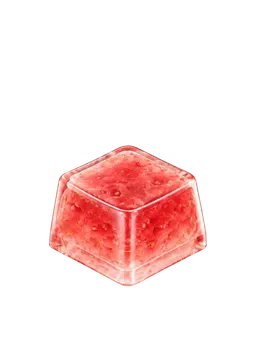
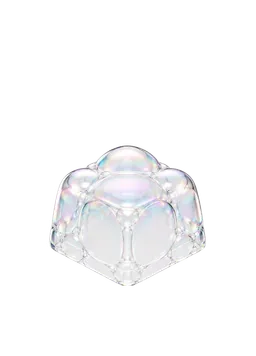
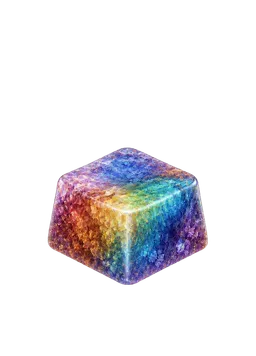
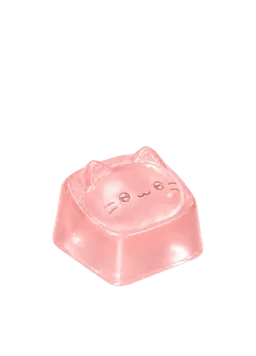
Keyboard ASMR is content built around close-up key presses and their repeating rhythm, while typing sounds are the sounds themselves. It becomes easier to find your preference when you separate crisp, quick attacks from softer, rounder ones. The four samples below are app sound presets currently assigned to the pictured KeyKey keycaps, not microphone recordings of physical keyboards.
Keyboard ASMR versus typing sounds
A typing sound is what you hear from an individual key press or a sequence of presses. Keyboard ASMR presents those sounds closely enough for their rhythm, attack, body, and tail to become the focus.
On a physical keyboard, switches, keycaps, plates, cases, desks, rooms, and microphones can all change the result. KeyKey’s samples do something different: they give short app taps distinct designed sound characters rather than reproducing a particular hardware build.
Four details worth listening for
Ignore the label for a moment and listen for these cues:
- Attack — Does the sound begin with a sharp snap or a rounded tap?
- Pitch — Does it seem brighter and higher, or darker and lower?
- Body — Does the middle feel light and hollow, or compact and full?
- Tail — Does it stop quickly, or leave a small after-sound?
Words such as thocky and clacky are useful community shorthand, not fixed measurements. Thocky usually points toward a lower, rounder impression; clacky usually suggests a brighter, crisper attack.
Compare four designed KeyKey samples
Each listening card pairs a KeyKey keycap with its currently assigned app sound.
| Keycap artwork | App sound | Listening impression | Start here if you prefer |
|---|---|---|---|
| Strawberry Tanghulu | Strawberry Tanghulu | A crisp start like a thin sugar shell breaking | Crisp and lively sounds |
| Soap Bubble | Soap Bubble | A light, transparent pop like a small bubble bursting | Light and clear sounds |
| Rainbow Ore | Crystal Echo | A clear, firm ring like a hard crystal | Crisp and solid sounds |
| Pink Cat Jelly | Pudding Jelly | A soft start with a rounded, squishy bounce | Gentle, rounded sounds |
These are descriptive listening notes, not measurements of physical key feel.
How to choose your favorite sound
Use the same device and volume, then narrow the set in pairs.
- For a crisp snap like a thin sugar shell, begin with Strawberry Tanghulu.
- For a light, clear pop, compare Soap Bubble.
- For a firm and distinct ring, try Rainbow Ore.
- For the roundest, softest impression in this set, begin with Pink Cat Jelly.
Once two remain, alternate between them one tap at a time. Then play each several times in a row. A sound that works alone may feel different when its rhythm repeats.
What this comparison cannot tell you about a physical keyboard
These samples are not recordings of mechanical keyboards, specific switches, or tested keycap-and-case combinations. They cannot predict how a physical keyboard will sound or feel. Each listening card uses the app sound currently assigned to that keycap in KeyKey’s authoring catalog.
This is a comparison of four sound cues designed for KeyKey. Listen on the same setup, tap them one at a time, and notice which one you want to hear again first.