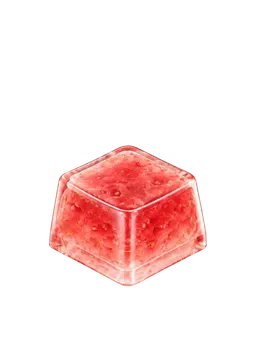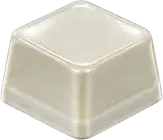

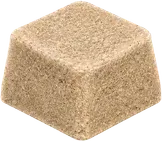

Dogak (도각), bogeul (보글), seogeok (서걱), and chalkak (찰칵) are Korean listening words, not official audio categories. Two people can hear the same typing sound and choose different words. This guide uses four KeyKey app sounds as reference points and compares them by attack, pitch, texture, and tail instead of treating the labels as fixed boxes.
Dogak, bogeul, seogeok, and chalkak at a glance
Start with the impressions that commonly sit near each word, not a hard boundary.
| Word | Attack | Pitch | Texture and tail | Often overlaps with |
|---|---|---|---|---|
| Dogak | Rounded edge with a clear center | Mid or lower-mid | Firm contact that settles quickly | Bogeul, thocky |
| Bogeul | Small rounded pops seem to connect | Mid range | Soft or bubble-like body with some elasticity | Dogak, creamy |
| Seogeok | Begins across a wider band rather than one point | Mid or upper-mid | Grain and friction with a lightly scattered tail | Creamy, rustling |
| Chalkak | One sharp point sounds separate from the body | Relatively high | Hard, short, and distinctly click-like | Ttal-kak, clacky |
These are everyday listening notes, not acoustic measurements. It is normal for one sound to fit two rows.
How dogak and bogeul differ
Dogak and bogeul often overlap because both can describe sounds without a harsh edge. To separate them, listen for whether the sound has one firm rounded center or a softer body that seems to swell like a small bubble.
- A dogak-leaning sound tends to have clearer start and end points and settles quickly.
- A bogeul-leaning sound tends to feel softer or more elastic through the middle.
Alternate the Glazed Ceramic and Soap Bubble samples above at the same volume. They are reference points, not standard recordings for either word.
How seogeok and chalkak differ
The opening is the easiest place to compare these two. Seogeok suggests spread-out friction or grain rather than a single impact. Chalkak suggests a short click that seems to jump out from one point.
- For seogeok, listen for small grains and a tail that disperses slightly.
- For chalkak, listen for a higher, shorter attack that separates from the rest of the sound.
The Sand and Blue Clicky samples make that contrast easier to notice. They do not identify the switch construction of a physical keyboard.
Why the same keyboard can receive different labels
Even one keyboard can produce a different impression when the listening conditions change.
- Microphone position — A close microphone can make the initial attack seem more prominent.
- Desk and room — A hard desk or reflective room can add more apparent tail.
- Level and processing — Gain, compression, and noise reduction can hide quiet friction or exaggerate clicks.
- Typing speed — A single press and a fast sequence emphasize different parts of the sound and rhythm.
That is why a one-word video title or comment cannot settle how a keyboard will sound in another setup.
A 30-second listening order
Choose one pair of headphones or speakers and keep the volume unchanged.
- 0–8 seconds: attack — Tap all four once and order them from softest to sharpest start.
- 8–16 seconds: body — Note whether each one swells, lands firmly, or contains grain.
- 16–24 seconds: tail — Listen for an immediate stop or a small spread after the hit.
- 24–30 seconds: closest pair — Alternate only the two you found hardest to separate.
Write down what you heard before choosing a label. This prevents the name from deciding the sound for you.
It is fine to combine two words
Mixed descriptions such as dogak-bogeul or seogeok-dogak are not contradictions. A sound can begin with a chalkak-like point but have a lower dogak-like body. It can feel rounded like bogeul while leaving a faint seogeok-like grain.
For a more useful description, add one extra property: low and short dogak, bogeul with a tail, light-friction seogeok, or high and short chalkak.
Can these samples predict a physical keyboard?
The four samples are designed app sounds assigned to KeyKey keycaps. They are not microphone recordings of mechanical keyboards, specific switches, or tested hardware combinations. A physical keyboard also changes with its switch, keycap, plate, case, desk, and recording environment, so these samples cannot predict its sound or feel.
They are also not a volume-normalized acoustic measurement set. Use them as listening references on the same playback device and volume.
Find the sound before naming it
You do not need to pick one correct word. Tap several sounds in the KeyKey keycap sound app, then note the attack and tail of the one you want to replay. That short description will usually explain your preference better than copying someone else’s label.