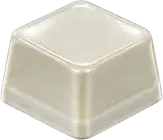

Changing keycaps can change your keyboard's sound. Even when the board and switches stay the same, a different keycap can alter the attack, pitch, and resonance because its material, wall thickness, weight, height, shape, and fit may all change. Material alone, however, cannot predict the finished sound.
Keycap sound changes at a glance
A keycap is both the surface your finger touches and a moving part attached to the switch stem. Replacing it can therefore change part of the impact and vibration you hear during a keystroke.
| Variable | What may sound different | What not to assume |
|---|---|---|
| Material | Brightness, hardness, and decay | ABS or PBT alone determines the tone |
| Thickness and weight | Density of the impact and prominence of higher frequencies | Every cap made from one material sounds alike |
| Profile and height | The sense of space and resonance inside the cap | One profile always produces one pitch |
| Key size | Resonance and stabilizer noise | A spacebar behaves like a letter key |
| Fit | Rattle, consistency, and unwanted contact noise | Every cap fits every stem and layout |
These differences are not a quality ranking. Some listeners prefer a low, rounded response; others want a short, bright attack.
Compare material and thickness separately
ABS and PBT are common keycap materials, but neither label tells you the cap's thickness, weight, profile, or manufacturing details. A comparison between thin ABS and thick PBT cannot establish a universal rule for every ABS and PBT set.
Use this order when comparing materials:
- Read the product specification for both material and wall thickness.
- If possible, compare sets with the same profile and similar thickness.
- Listen separately for attack, body, pitch, and decay instead of volume alone.
- Record surface feel and durability preferences separately from sound preference.
A thicker cap can produce a different sense of density and resonance from a thinner one, but it is not guaranteed to be deeper or quieter in every build. Move the same set to another switch or case and its character can change again. A later KeyKey column will examine ABS and PBT as a focused comparison.
How profile, height, and shape affect the result
Keycap profile describes height, top shape, and the sculpting or angle across rows. A short cap with a small internal space and a taller cap with a larger cavity can feel and resonate differently on the same switch.
It is still safer to compare the actual products than to memorize a rule such as “taller means deeper.” Two sets with the same named profile may use different wall thicknesses, internal geometry, and manufacturing methods. Typing force can also change how prominent the bottom-out becomes.
Note feel alongside sound. Is the contact area wide or narrow? Does the row height make moving between keys comfortable? Does one row sound more prominent than the others? These observations help you judge the set as something you will type on, not only as a sound clip.
Why the spacebar and larger keys sound different
The spacebar, Enter, and Shift keys have more volume than a letter key and usually use stabilizers to control their wider movement. This can add a deeper or hollower resonance, plus friction or contact noise from stabilizer parts, even within one keycap set.
When evaluating a set, separate the checks:
- Press three letter keys with similar force to find the set's central character.
- Press the center and both ends of the spacebar to hear uneven movement.
- Listen for wire or stabilizer noise on Enter and Shift.
- Reseat a cap if one side may not be fully attached.
If only the larger keys sound wrong, the material of the whole set may not be the main cause. Stabilizer tuning or fit may need attention first.
How to compare keycap sound fairly
Keep as many conditions as possible unchanged before and after the swap.
- Keep the keyboard and switches fixed. Compare the same key positions on the same board.
- Keep the desk and mat fixed. The supporting surface can change low-frequency resonance.
- Match the keys and typing force. Do not combine a letter-key sample and a spacebar sample into one result.
- Mark microphone distance and gain. On a phone, keep placement and automatic processing conditions consistent.
- Record several passes. Look for the shared impression across at least three takes, not one unusually hard press.
- Listen without the labels first. Choose which take you want to replay before looking at material or price.
Change one variable at a time when possible. If you replace the keycaps, switches, and case configuration together, you cannot tell which part created the difference. The linear, tactile, and clicky switch comparison explains where switch structure enters the sound.
How changing a keycap works differently in KeyKey
The Glazed Ceramic and Pink Cat Jelly samples above are not recordings or measurements of physical keyboards with only the keycaps changed. They are short app sounds currently paired with each keycap's artwork in the KeyKey keycap app. They do not simulate the acoustic effect of real material, thickness, or profile.
In KeyKey, collecting and equipping a keycap changes the combination of visual texture, designed sound, and supported-device haptics you can explore. Try Glazed Ceramic and Pink Cat Jelly at the same device volume. One expresses a smooth, hard ceramic character; the other expresses a soft, rounded paw-pad character. That contrast is an intentional digital design choice, not a physical result produced by two real keycaps.
A physical keyboard asks you to listen to an assembled system. KeyKey lets you choose a short sensory response designed for each collectible cap. The keyboard ASMR and typing sound guide explains how to compare these app sounds without treating them as hardware recordings.
The practical answer before you swap keycaps
Replacing keycaps is one way to change the typing sound of the same keyboard. For a useful prediction, look at material, thickness, weight, profile, key size, and fit together, then compare them while the switches, case, desk, and recording setup remain fixed.
Check stem compatibility, layout, and spacebar sizes before buying. Once the set fits, a controlled side-by-side listen will tell you more than someone else's single “best sound” label.
Manufacturer references and limits
Keychron's manufacturer guide on how keycaps affect sound discusses material, thickness, shape, and the contribution of the rest of the keyboard. CORSAIR's replacement keycap guide was also used to check its distinctions between ABS and PBT feel, durability, sound, and replaceability.
These pages are manufacturer guidance, not controlled acoustic research. This article therefore uses them to identify comparison variables, not to turn a material or profile into a universal sound rule. The completed keyboard still needs a like-for-like listening test.