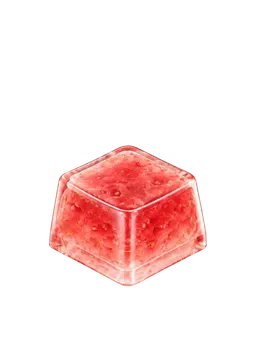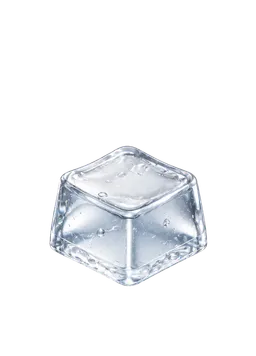
Artisan keycaps focus on individual sculpting and craft-led design. Instead of simply carrying a letter, a cap might resemble a small animal, a dessert, or a tiny scene enclosed in a clear form. They sit at the meeting point of keyboard decoration and collecting small objects.
How are they different from a keycap set?
A full set can give the keyboard a coordinated palette, lettering style, and profile. An artisan often draws attention to one design. Neither approach is inherently better.
| What to consider | Keycap set | Artisan keycap |
|---|---|---|
| Visual focus | The whole board | An individual shape or scene |
| Main question | Does it include the keys my layout needs? | Which object would I enjoy seeing nearby? |
| Fit checks | Sizes, layout, profile | Mount, size, height, protruding details |
“Artisan” is not a material specification or a compatibility standard. For one example of the craft, Jelly Key’s process overview describes how it makes and finishes its resin pieces by hand. That is one maker’s process, not a rule for every artisan.
Three ways to look at a tiny design
Start with the silhouette. Does the shape read immediately, or does it reveal a scene only when you look closely?
Then look at color. Would you match it to the desk around it or enjoy one contrasting key? Finally, look for details: an expression, a window, or another small feature you would like noticing again.
Rarity and personal appeal are different reasons to collect. You do not need an entire series to enjoy one piece. “I want to keep looking at this” is a useful starting point.
Will it fit anywhere?
A photo is not enough to establish fit. Check the stem mount, key width, height, and profile in the product specifications. A sculpt that extends sideways also deserves a check for clearance around neighboring keys.
Jelly Key’s product guidance directs buyers to the size and profile on each product page. Compatibility with an MX-style mount on some products does not establish compatibility with every keyboard, especially low-profile designs.
Replacing a keycap is also different from replacing the switch underneath. Our keycaps versus switches column explains their roles. Never force a part that does not fit.
Does an artisan guarantee a special sound?
Appearance is not a reliable sound preview. Changing a physical keycap can change the sound, but the switch and keyboard construction still matter. Resin does not guarantee one particular tone, and a rounded animal shape does not guarantee a soft sound.
A shape that is enjoyable to display is not necessarily your favorite shape to press repeatedly, either. Notice the top surface and any raised details your finger would touch. See whether keycaps change typing sound for more on the acoustic side.
Physical and digital collecting are different
A physical artisan is an object you can examine and, when compatible, fit to a keyboard. KeyKey’s keycaps are digital collectibles inside an app. They are not physical products shipped to you, nor replicas that let you test a particular artisan maker’s work.
In KeyKey, you can equip owned keycaps and switches and tap them, enjoying their visuals, sounds, and haptics on supported devices. These responses do not reproduce a real object’s material, weight, or key travel. The appeal is choosing a design you like and returning to it.
Explore the keycap game collection loop or the screens on the KeyKey homepage. A first collection does not need a complicated theme. One shape you would enjoy seeing again tomorrow is enough.