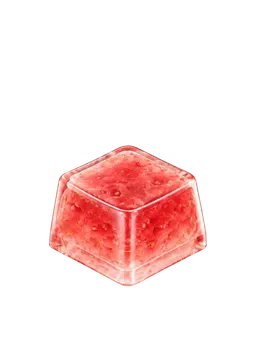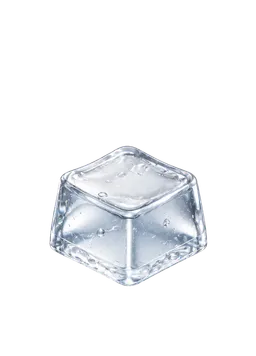
A keycap game combines tapping an on-screen keycap with collecting and choosing what to equip. Here, we use the keycap app KeyKey to explain what you collect and what you can do with it. The term does not imply that every game follows the same rules. In KeyKey, sound, tapping, and your collection form a repeating loop.
What are you collecting?
On a physical keyboard, a keycap is the cover your finger touches. In KeyKey, it is a digital collectible inspired by that familiar shape. A soft-looking jelly cap or a glossy resin design can make you curious about its response before you even tap it.
You can collect by color, theme, or simply whatever catches your eye. Rarity is one way to browse a collection; it does not have to decide which cap you enjoy using. A favorite can be the one you keep coming back to, even after you have found something new.
Tap, collect, equip, and tap again
Think of the main loop as four small activities.
| Activity | What you do | What to notice |
|---|---|---|
| Tap | Press your equipped keycap | Sound, visual response, and haptics on supported devices |
| Collect | Gather play rewards and obtain collectibles | Which design you might discover next |
| Browse | Explore your collection in KeyDex | Owned keycaps, rarity, and categories |
| Equip | Change your owned keycap and switch combination | How the new combination feels to tap |
A single tap does not automatically award a new keycap. Earning rewards and obtaining collectibles are separate parts of the loop, and a random case does not guarantee a particular cap. Check the conditions shown in the app for the item you want, then choose your own pace.
KeyDex gives your collection somewhere to live
KeyDex is where you return to the keycaps you have collected. You do not need to memorize their names. Start with a shape you recognize, a color you like, or a category that looks different from your current choice.
Completing the entire collection does not have to be your first goal. Try something smaller: a rounded design, a matching color, or one cap with a different mood. Picking what to use next can be just as enjoyable as discovering something new.
How is it different from a keyboard app or ASMR video?
The phrase “keyboard app” can describe several different things. The useful distinction is what you want to do.
| What you want | What to look for |
|---|---|
| Write messages or use predictive text | A text-input keyboard app |
| Change the appearance of your typing keyboard | Keyboard themes or customization features |
| Listen to a recorded sequence of typing sounds | Keyboard ASMR videos or audio |
| Tap digital keycaps and build a collection | A keycap tapping and collection game such as KeyKey |
KeyKey does not replace your system keyboard for typing in other apps. You tap and collect inside the game. Its sounds and haptics are digital responses, so they do not reproduce the physical travel or resistance of a mechanical switch.
For a closer look at listening versus controlling each tap, read keyboard ASMR apps versus videos.
Your first few minutes, without keyboard terminology
You do not need to learn switch names or keycap materials before starting. Try these three steps:
- Tap your current cap slowly. Begin at a low volume and notice the sound and response.
- Browse the keycaps you own in KeyDex. If you have another option, choose one whose appearance interests you.
- Equip it and use the same tapping rhythm. Notice what you like about the artwork, sound, and haptics where supported.
You do not have to identify the switch type by ear. “Would I like to tap this again?” is a useful first question. When you want more words for your sound preferences, explore the samples in our keyboard ASMR and typing sounds column.
Start with one cap you want to use
A keycap collection is more than a growing count. You can find a design, equip it, enjoy it for a while, and return to an older favorite when you want a change.
See the tap screen and KeyDex on the KeyKey homepage, where you can also find the app download links. Your first goal can be small: one keycap you want to tap again.